
Case study · Trade school
HVAC School used to enroll every student by phone. Now students sign up and pay on the website.
- Client HVAC School, Brier, WA
- Since 1988 · 6,000+ technicians trained
- Site hvacschool.com
- Built March to November 2026
The school
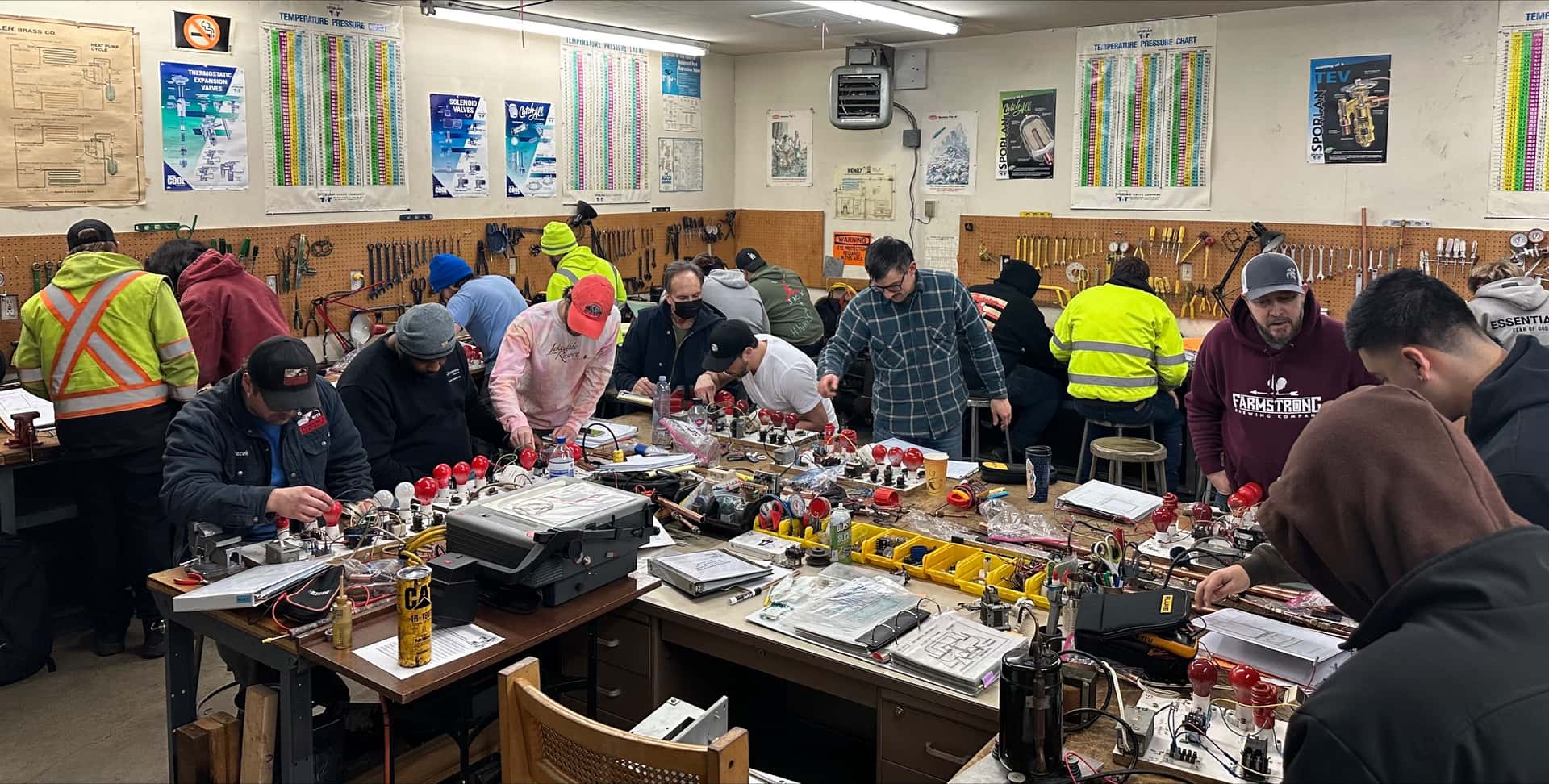
HVAC School is a hands-on trade school in Brier, just north of Seattle. The Engelking family has run it since 1988. Six programs, from an eight-week AC and heat pump course to a one-day EPA certification seminar, and more than six thousand technicians trained in the shop. Ninety percent of class time is on real equipment. The school's reputation was never the problem.
What was wrong
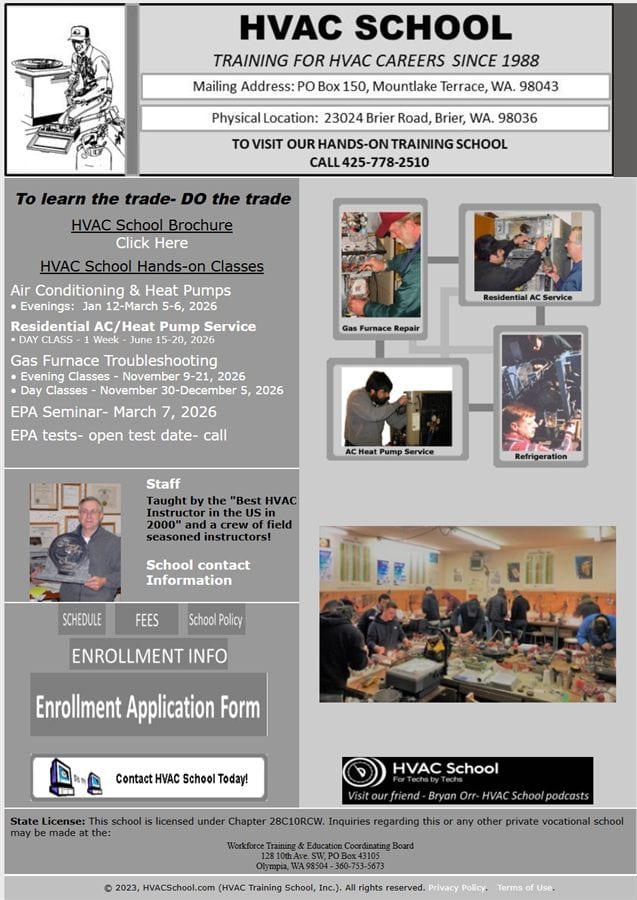
The website was. It was an old Bluehost site that nobody could update, so the class schedule on it was often wrong. Enrolling meant calling the office, explaining which class you wanted, giving your details over the phone, and then paying by phone, in person, or by printing a form and mailing it in.
Every one of those steps landed on the owner, Crawford, who also teaches. A call that came in during a class was a call that got missed. A student who looked at the site at 9 pm and wanted to sign up had to wait until the office opened. Seat counts lived in his head.
What I built
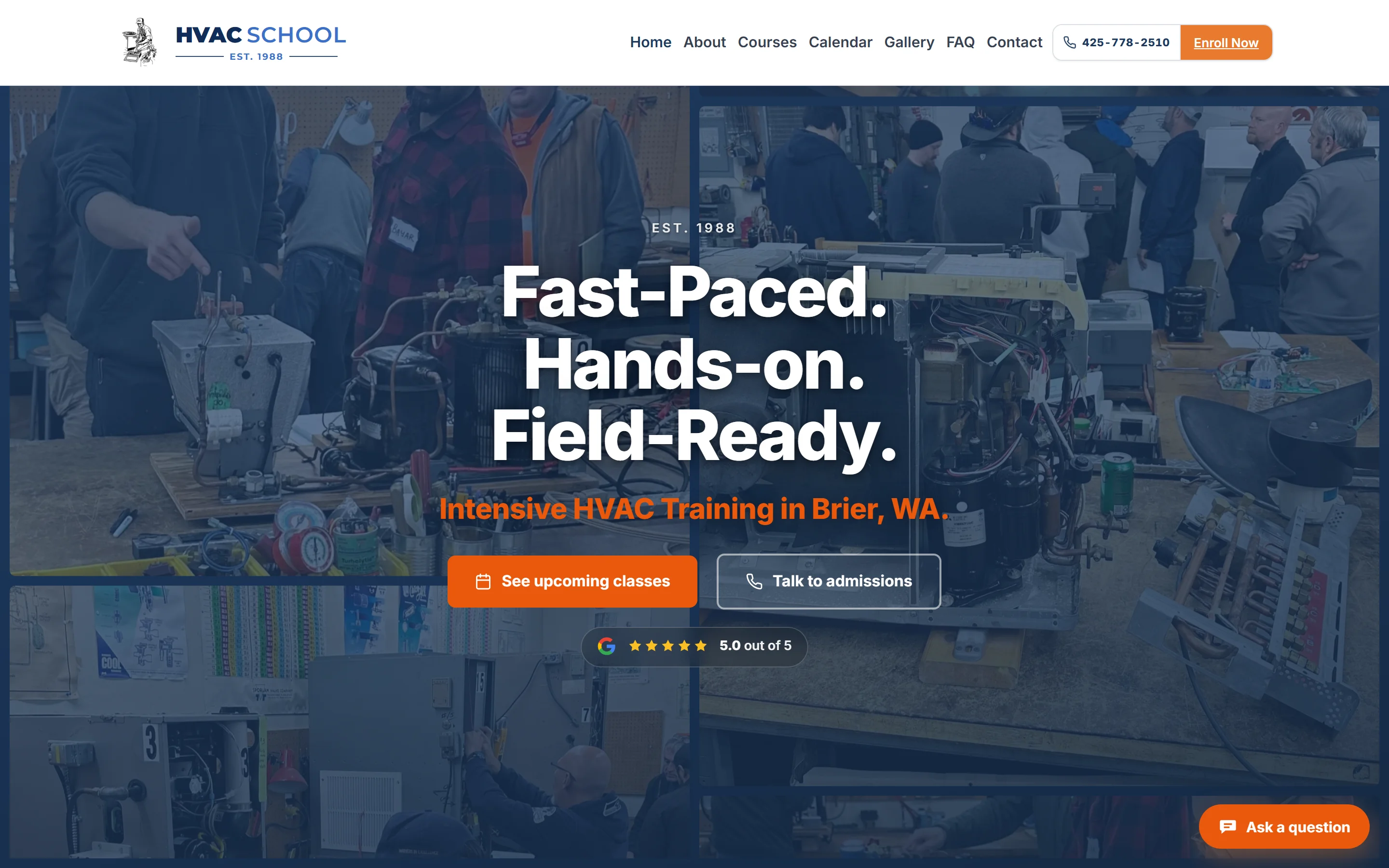
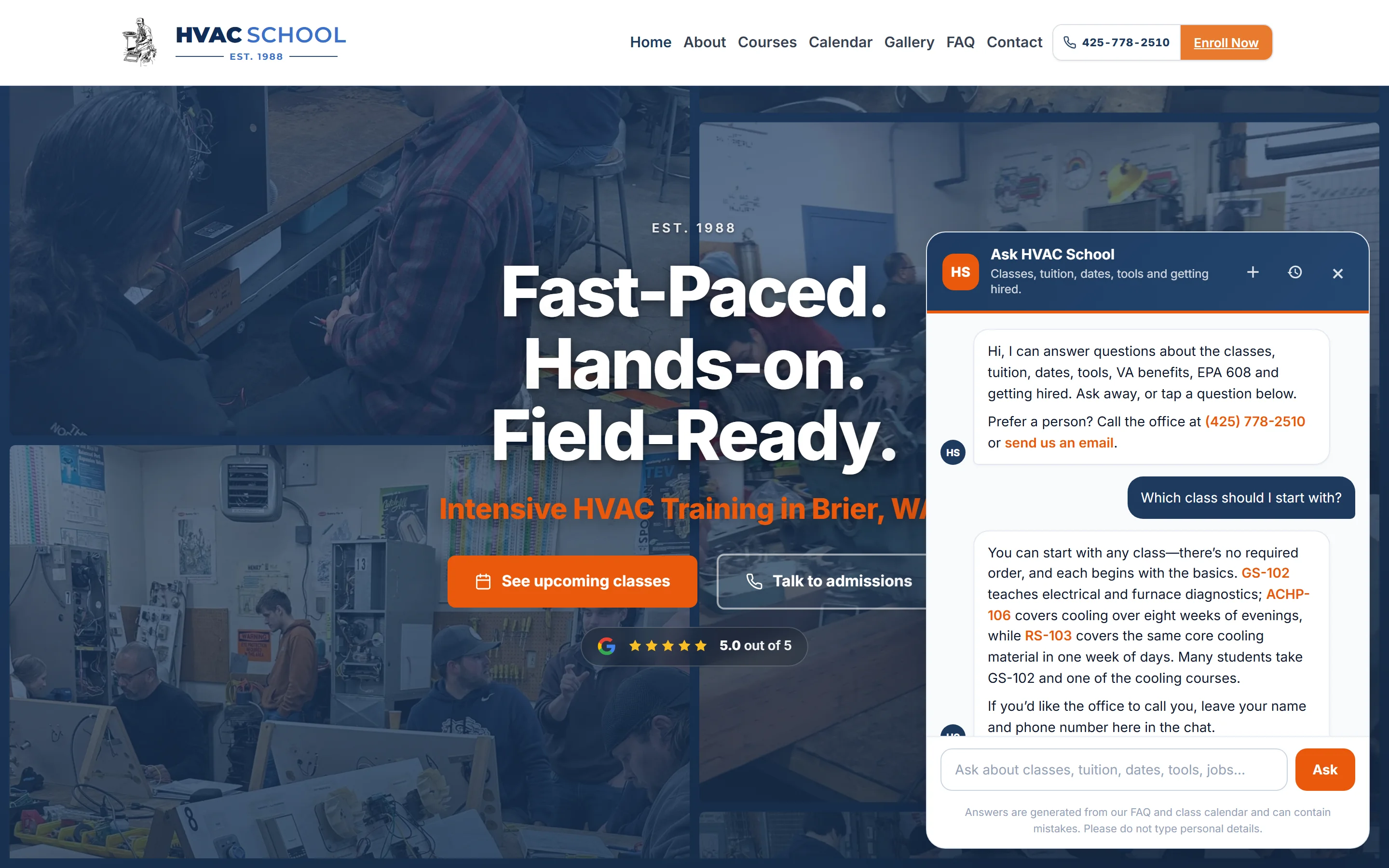
A new website and, behind it, a small back office the school runs itself. Nothing on the public site needs a developer to change. Here is each piece, with the real screens.
1. A schedule students can trust
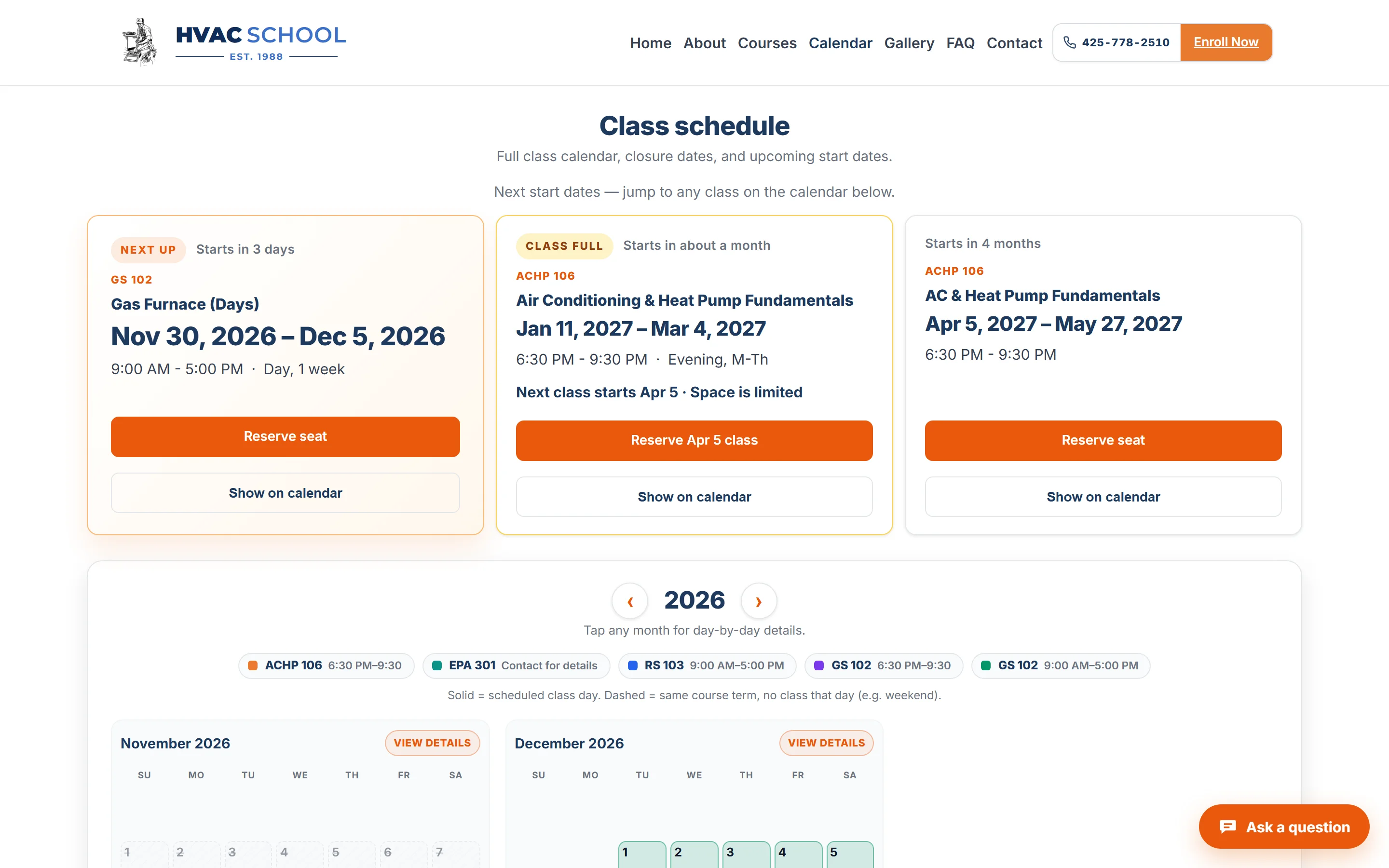
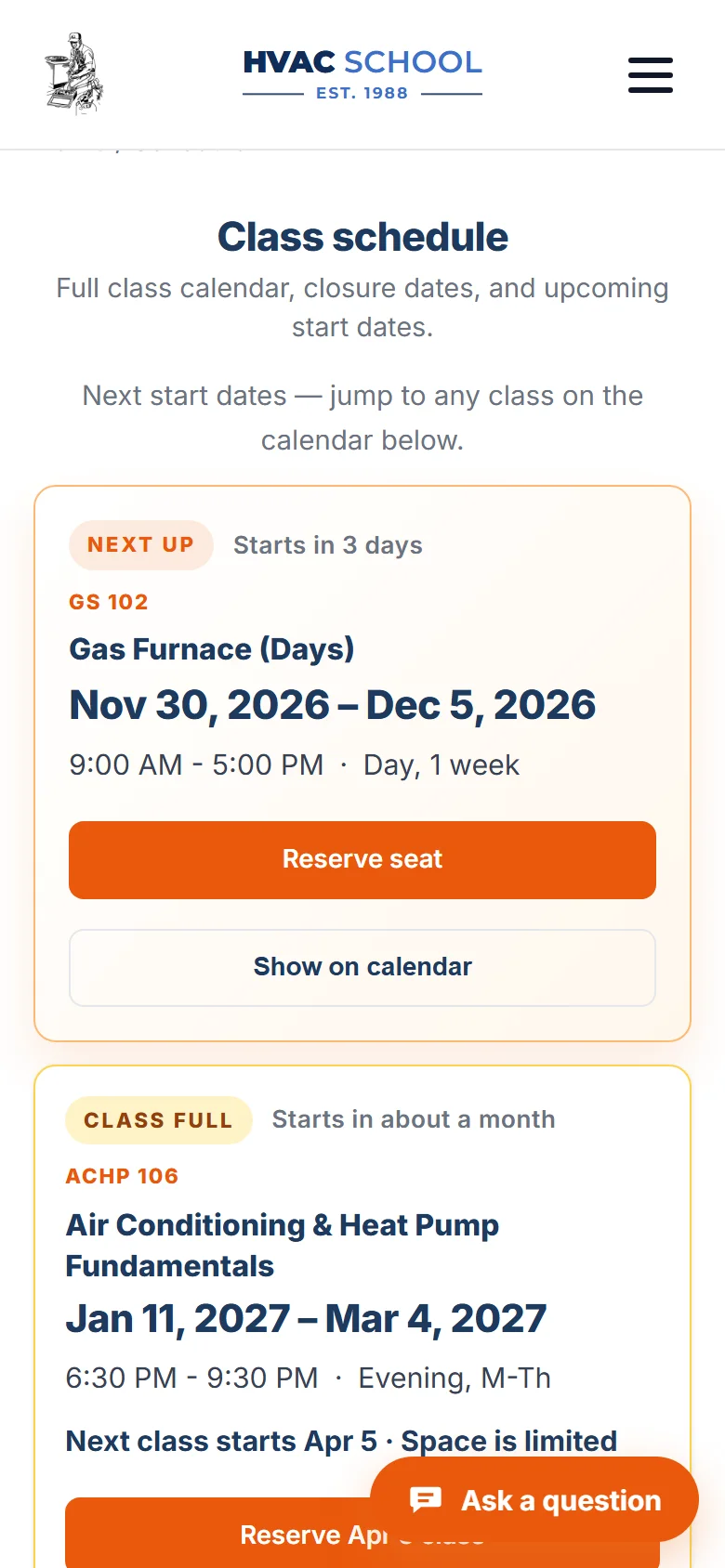
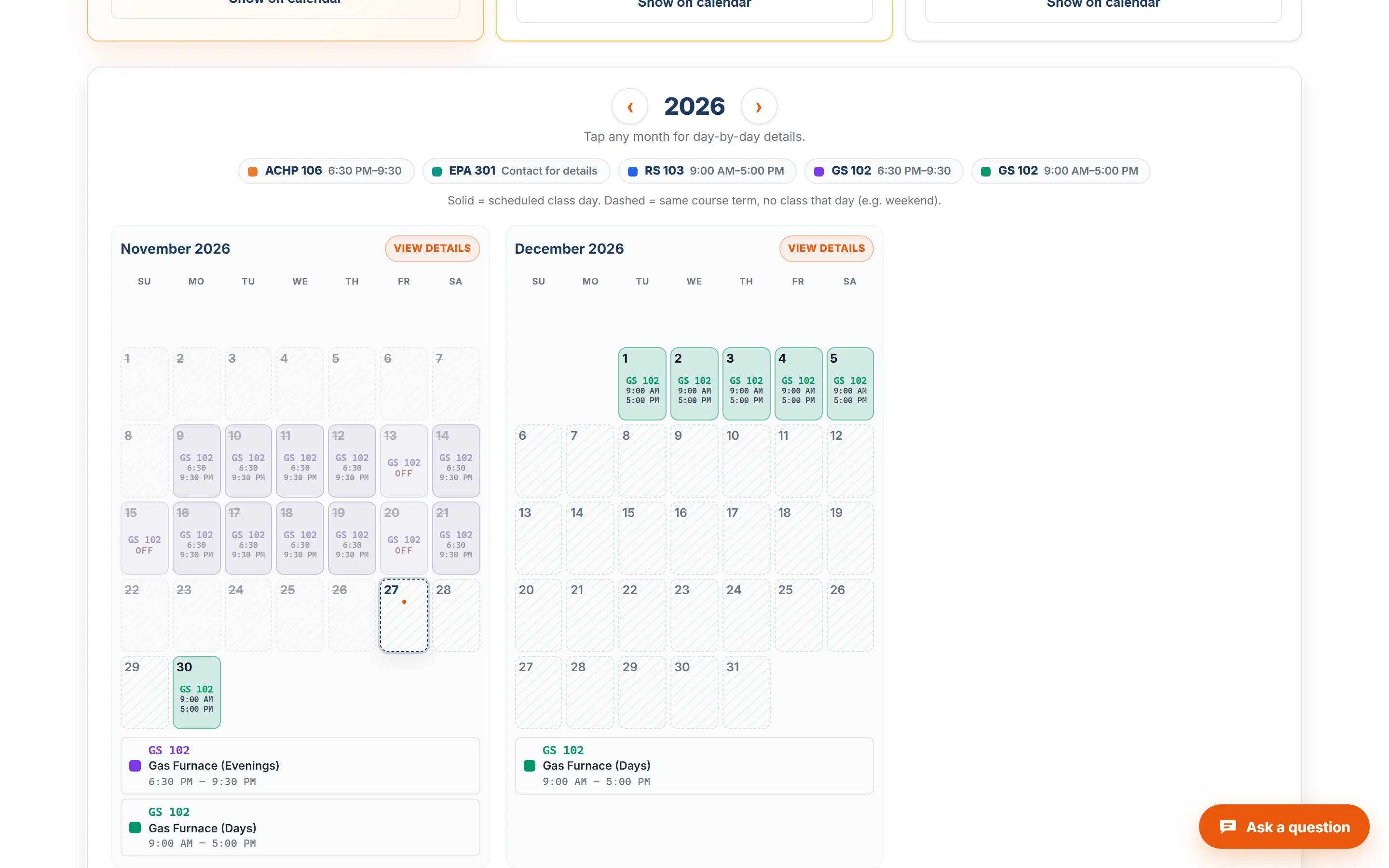
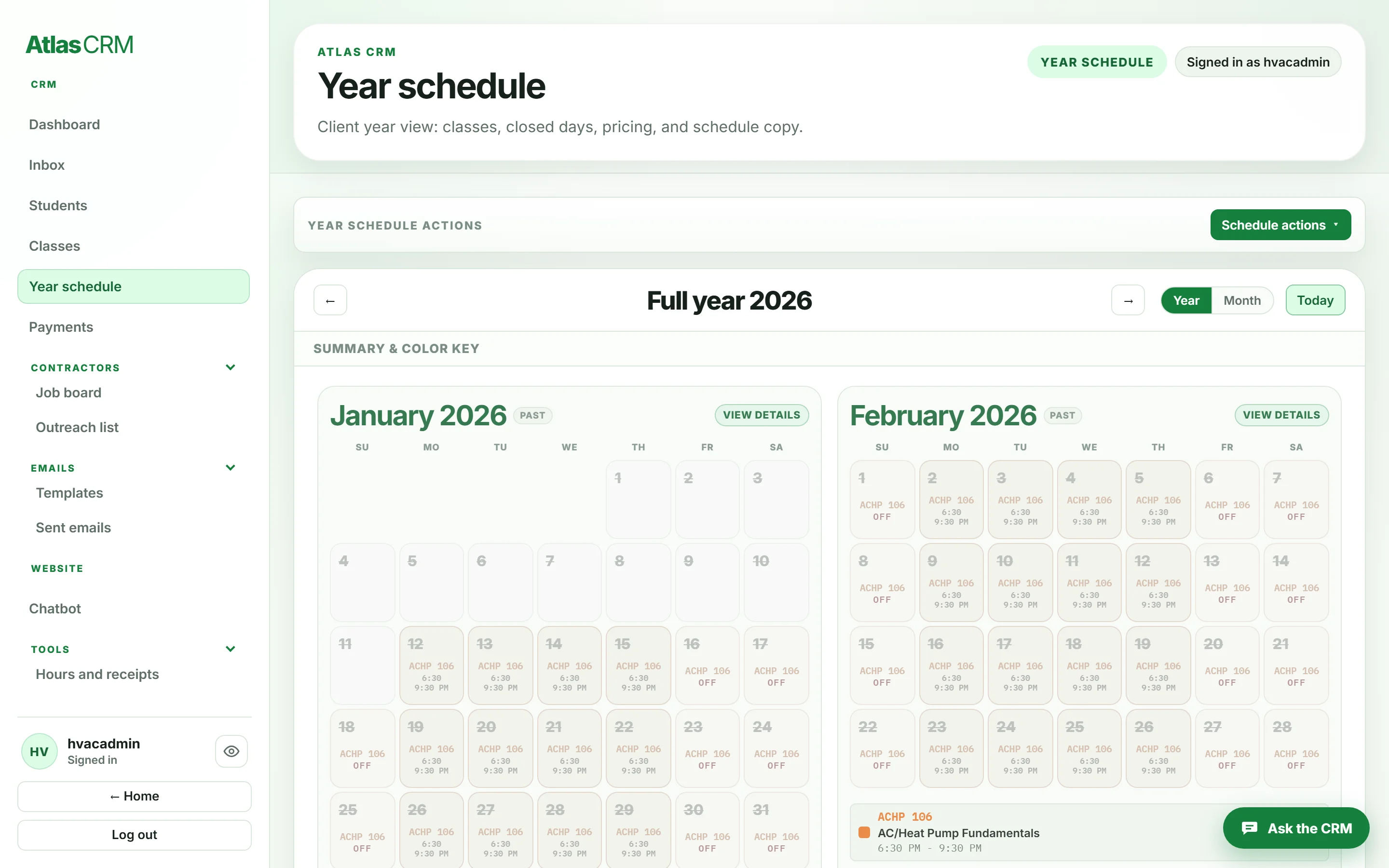
The schedule page shows the next start dates at the top, then the full year as a calendar: class days, evening or day sections, days off. When a class fills up, it says so and points to the next open date. All of it comes from the back office, so the day the office changes a date, the site changes with it.
2. Course pages that sell the class
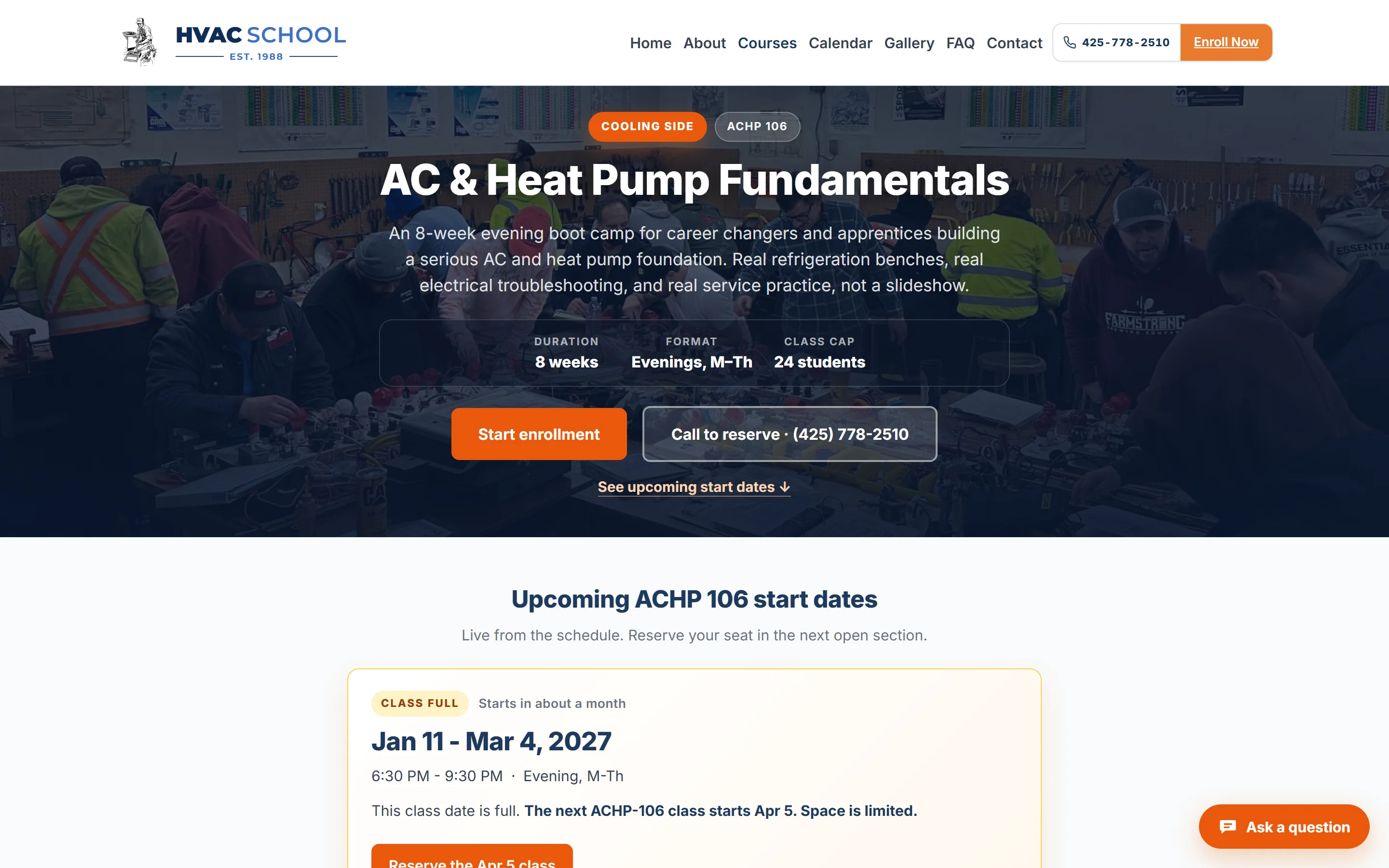
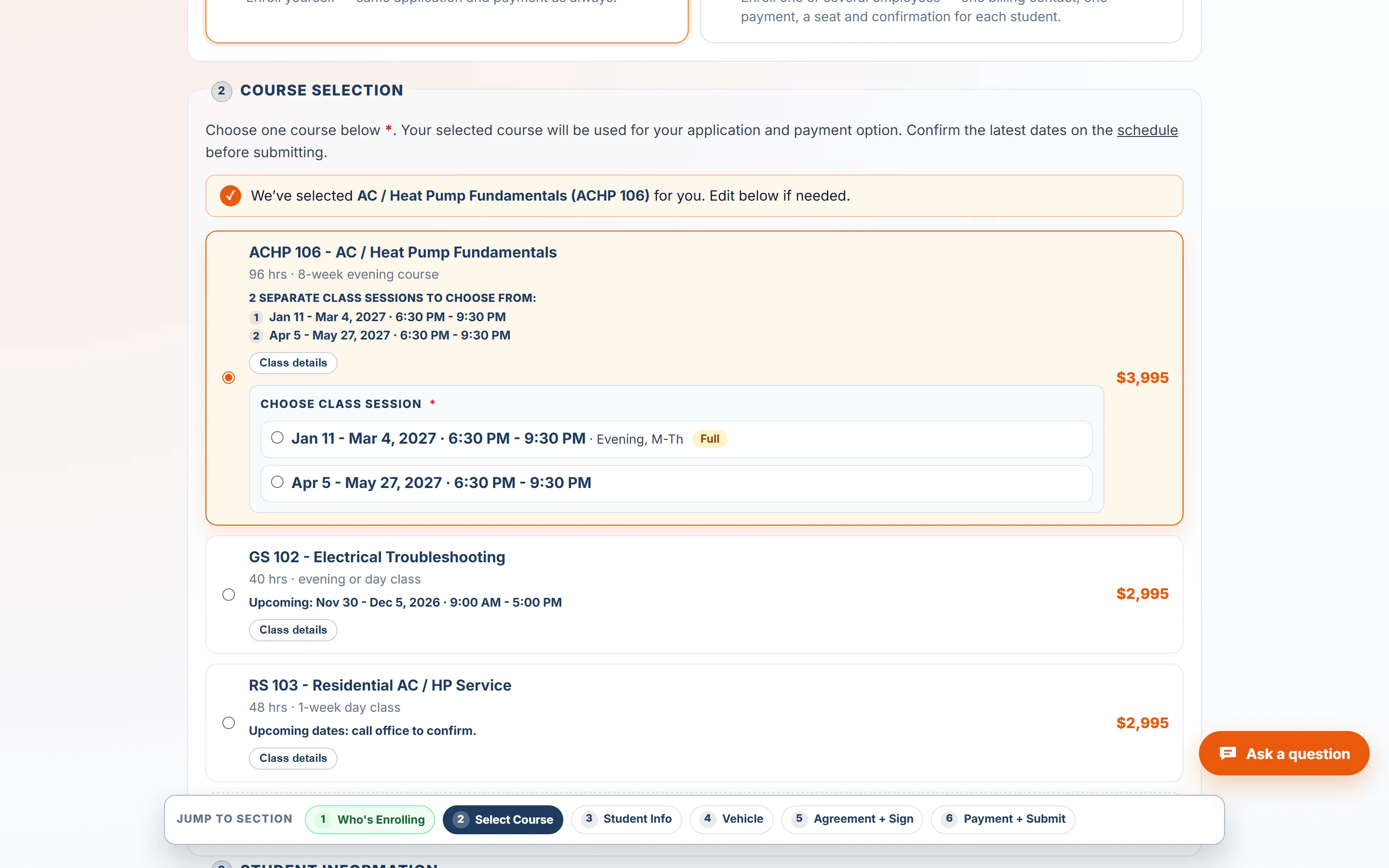
Each of the six courses has its own page: what you learn, how long it runs, the class cap, and the upcoming start dates pulled live from the schedule. The enrollment button carries the course over, so the student doesn't pick it twice.
3. Enrollment and payment, online
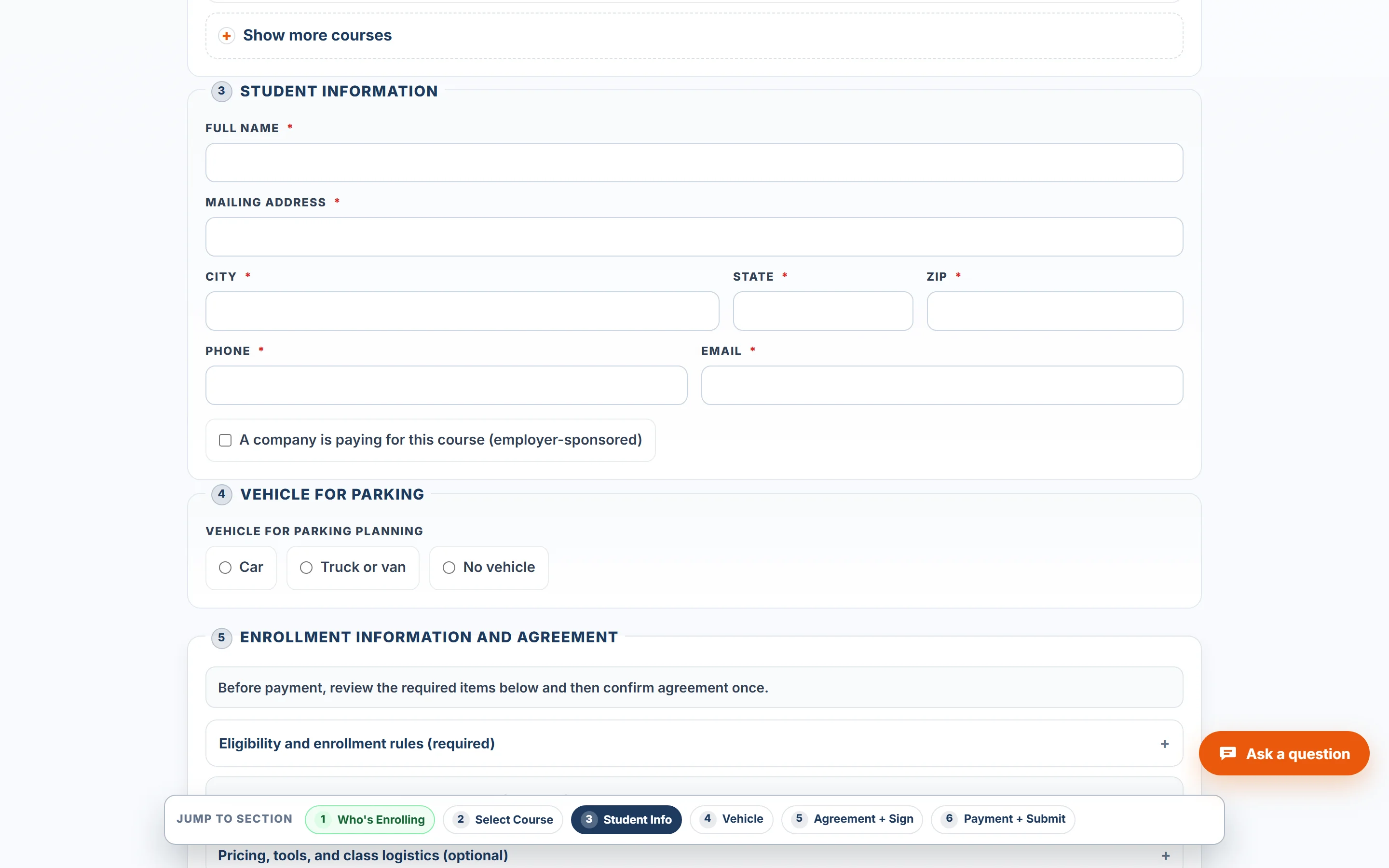
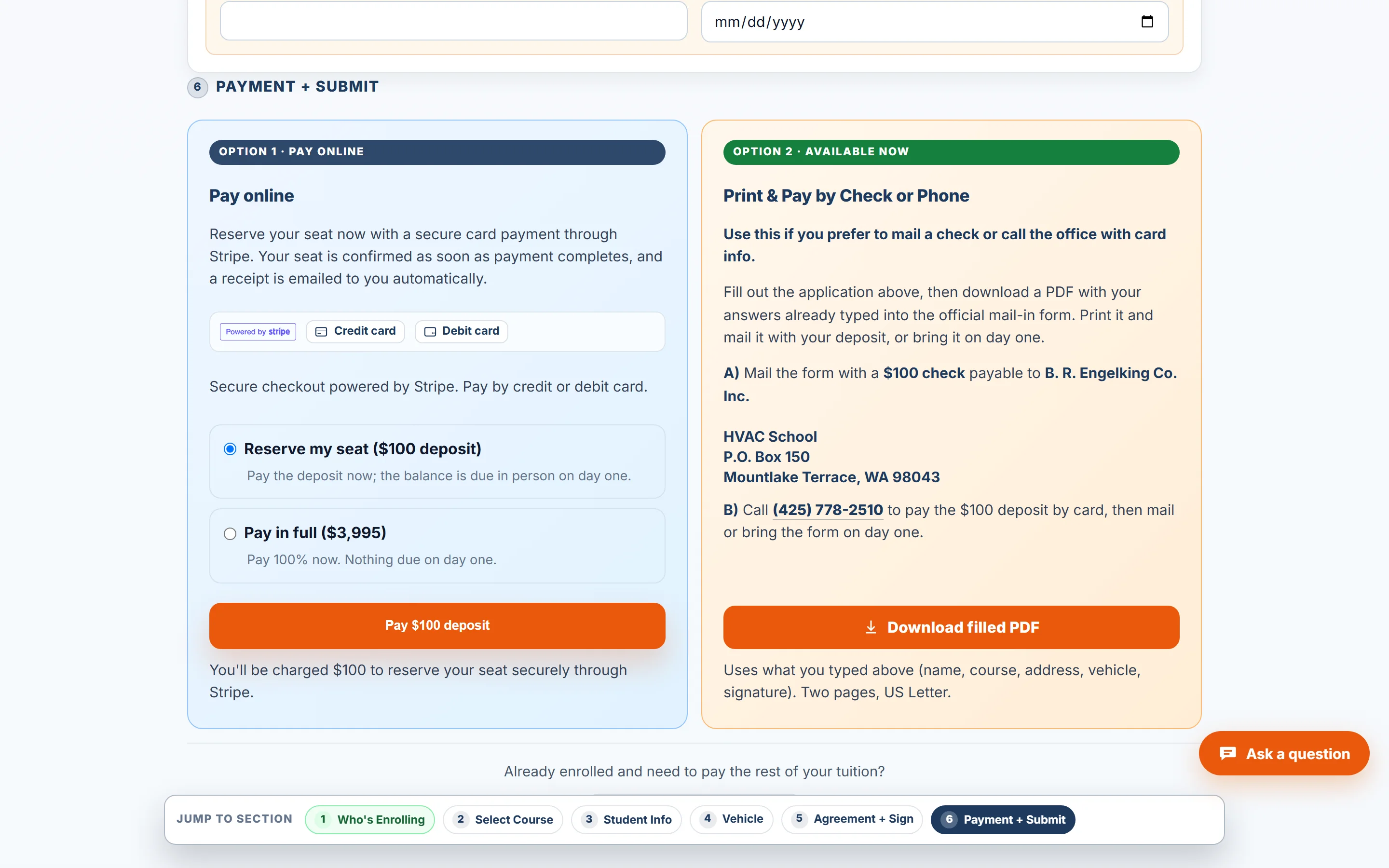
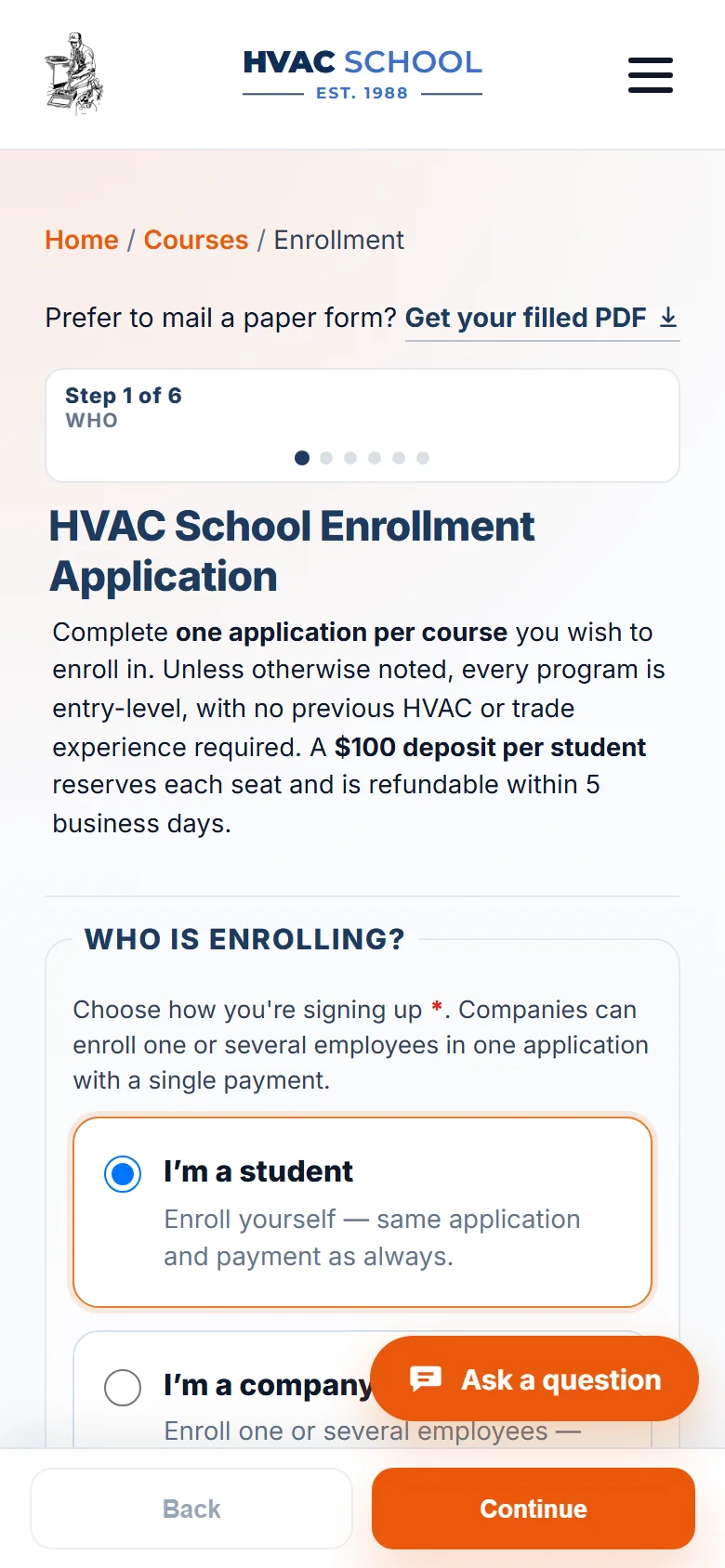
This is the part that used to be a phone call. The application is six short steps: who's enrolling (a student, or a company sending several employees), the course and class date, the student's details, parking, the agreement and signature, and payment. The student pays a $100 deposit or the full tuition by card. Anyone who still prefers paper gets a filled-in PDF of the official form to print and mail.
4. Seats that count themselves
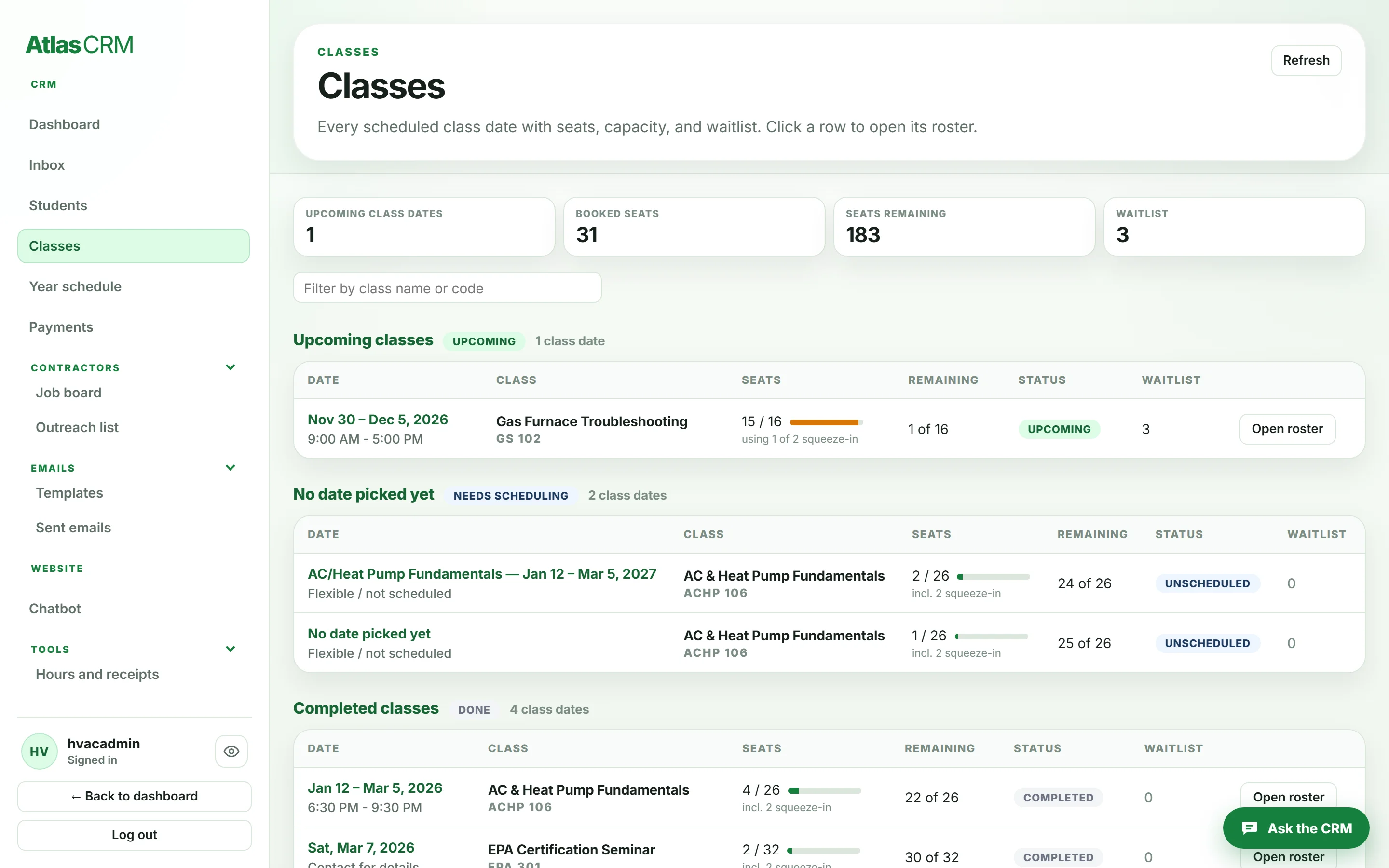
Each class date has a seat cap. Every online enrollment takes a seat off the count the moment the payment clears, a seat held during checkout can't be sold twice, and when a class fills, the site offers the next open date or a waitlist. The office sees it all on one screen.
5. A back office for the owner
Rosters by class, every student and what they've paid, balances owed, and a copy of every email the system sent. Phone and in-person enrollments get entered in the same place, so there is one list, not a notebook and a spreadsheet. After a class ends, the office picks who to ask for a Google review and sends the request from the same screen.
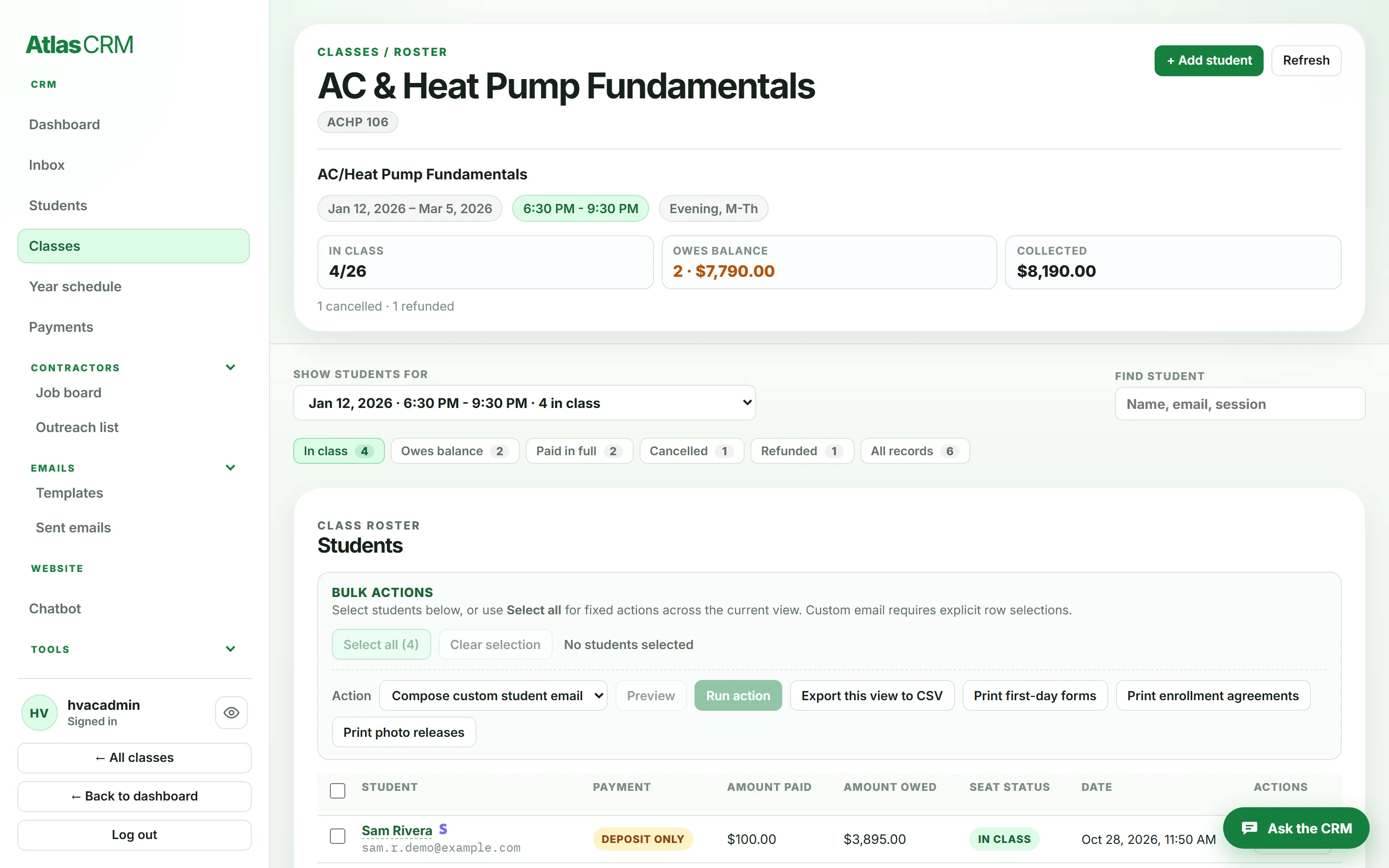
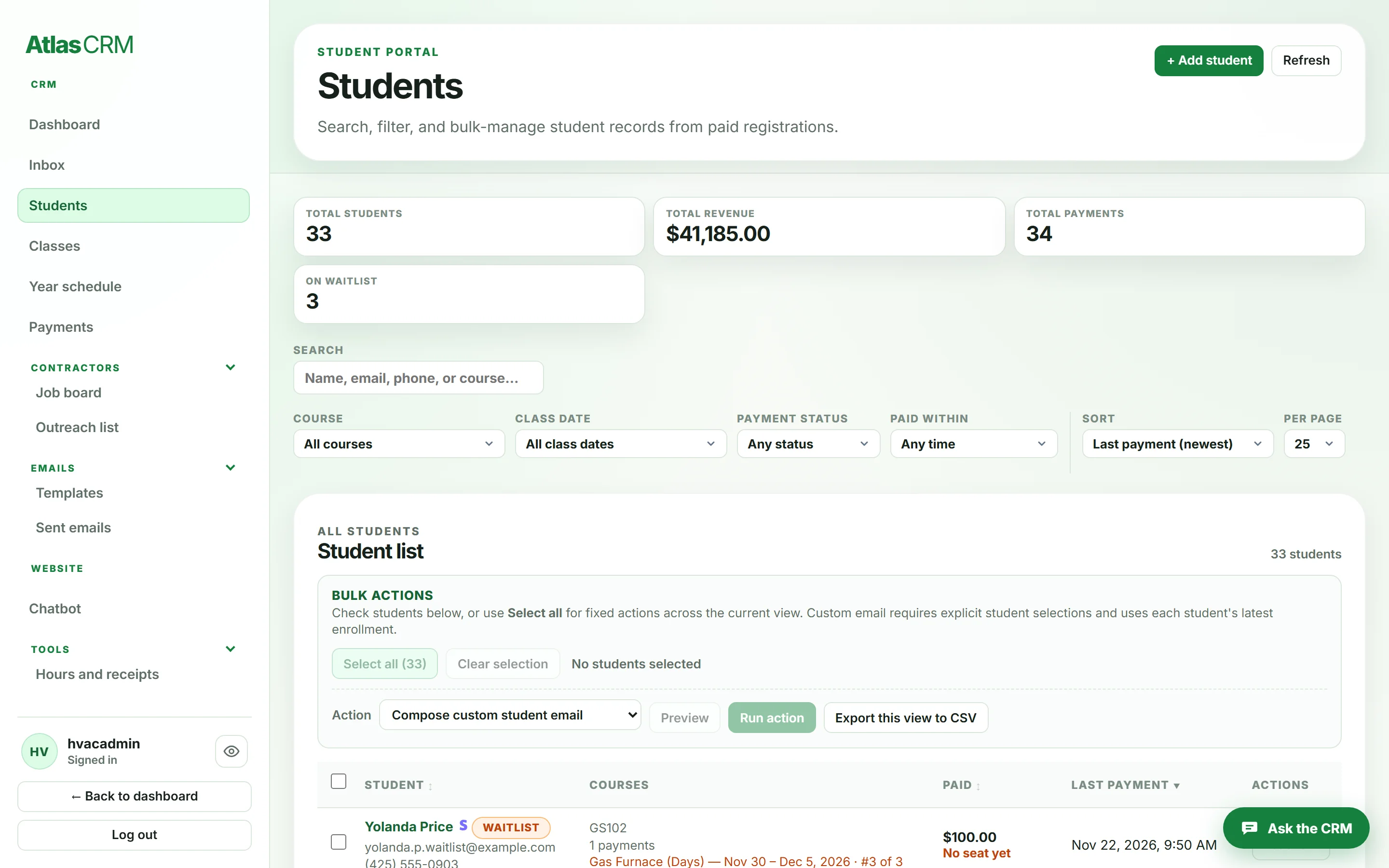
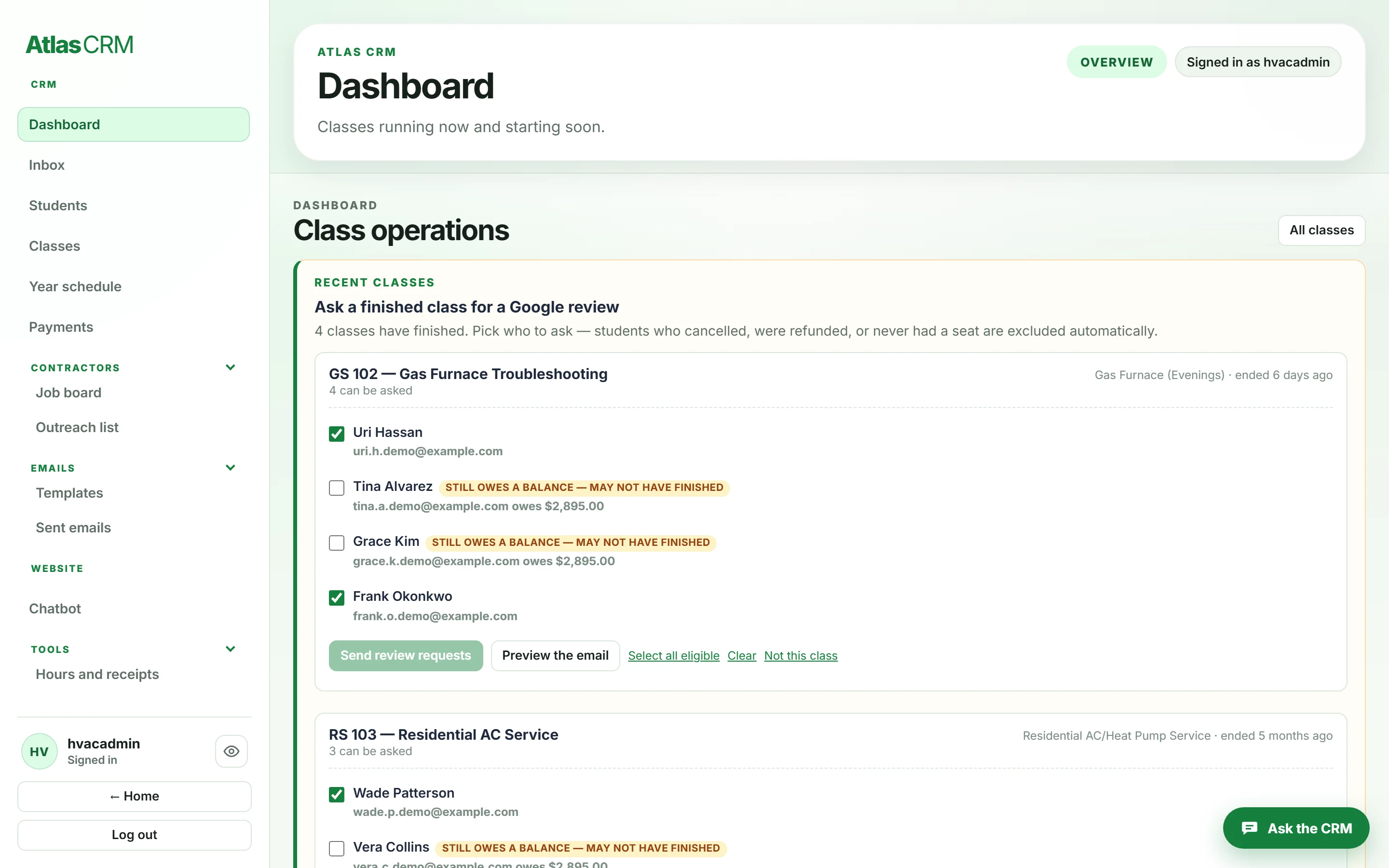
The back office screens are shown with sample students, not real ones.
How enrollment works now
- A student finds a class on the schedule, with the real start date and whether seats are open.
- They sign up and pay on the site, deposit or in full, at whatever hour they're looking.
- Both sides get an email with the class details, the receipt and a link to pay any balance.
- The seat is taken off the count automatically. The office sees the new student on the roster the next time they open the admin page.
Results
The site has been live for a few months, so the numbers are early. The one that matters already showed up: every class on the schedule filled up.
Nothing about the courses changed. The same classes, the same instructors, the same price. What changed is that a student who finds the school at 9 pm can pick a date and pay before they lose interest, instead of leaving a voicemail and waiting for a call back.
The school still takes enrollments by phone and in person for anyone who prefers it. The difference is that the phone is now one option instead of the only one.
What the school runs itself
Prices and seat caps are in two plain files the office can change. The schedule, rosters, students, payments and emails are all in the admin page behind a login. The site is hosted on a managed cloud host with the back office on its own service, so the public site stays up even while the office is working in the admin.
Have a business that still runs through one phone? I'd like to hear about it.
Book a call